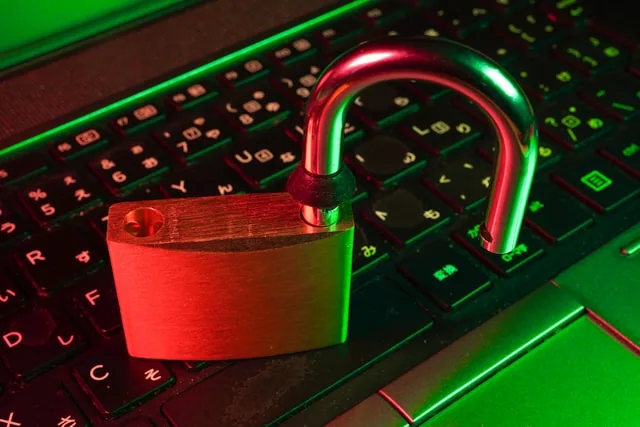
Security apps are often sold with words such as 'complete protection', but different tools deal with different risks. A VPN can change the route your traffic takes; antivirus software can flag known malicious behaviour; a password manager can stop password reuse. None of these stops every scam, and running more apps does not automatically make a device safer. The better approach is to match a specific tool to the problem you face.
Start with the threat model
| Risk | Useful control | What it does not solve |
|---|---|---|
| Untrusted Wi-Fi | HTTPS + reputable VPN | Phishing or malicious files |
| Stolen passwords | Password manager + MFA/passkeys | Malware already controlling the device |
| Malicious downloads | OS/app updates + built-in security/AV | Social engineering |
| Tracking by websites | Browser privacy controls/content blocking | Tracking while logged into an account |
| Lost device | Screen lock + device encryption + remote locate/wipe | Cloud-account compromise |
How to evaluate a VPN
- Ownership and jurisdiction: know which company operates the service and where it is legally based.
- Logging claims: “no logs” is marketing unless the provider clearly defines what is and is not retained. Look for independent audits and transparent incident history.
- Protocol support: modern protocols such as WireGuard or well-maintained OpenVPN implementations are preferable to proprietary claims with little documentation.
- Kill switch and DNS handling: check how the app behaves when the tunnel fails.
- Business model: a “free unlimited VPN” still has operating costs. Understand how the service is funded.
Security apps that usually deliver more value than a VPN
Password managers reduce password reuse. Authenticator/passkey tools reduce account-takeover risk. Device-update systems close known vulnerabilities. Backup tools improve recovery. Browser protections can reduce exposure to known malicious sites. For many households, those controls should come before paying for a VPN.
What a VPN cannot hide
If you sign into Google, Meta, Amazon or another account, that service still knows which account is active. Browser fingerprinting, cookies and app identifiers can also continue to identify activity. A VPN provider can also become a new party that handles network metadata, so provider trust matters.
India-specific note
VPN service availability, server locations and provider policies can change in response to legal or infrastructure requirements. Verify the provider’s current India policy directly before subscribing rather than relying on an old “best VPN” ranking.
Further reading and official sources
- CERT-In
- CISA Secure Our World
- FIDO Alliance for modern authentication standards.
How this guide was researched
This guide is written as a defensive, India-focused response guide. It does not claim a personal incident unless that experience is documented, and it does not guarantee recovery after fraud. Official reporting and payment/identity sources take priority over anecdotes.
Before you decide
Begin with software updates, unique passwords and safe backups before paying for overlapping subscriptions. If an app requests broad permissions, read why it needs them. A security product that adds constant pop-ups, unnecessary browser extensions or intrusive tracking might create problems of its own.
Related CSNR guides
Have a correction or a source update? Contact the CSNR team.