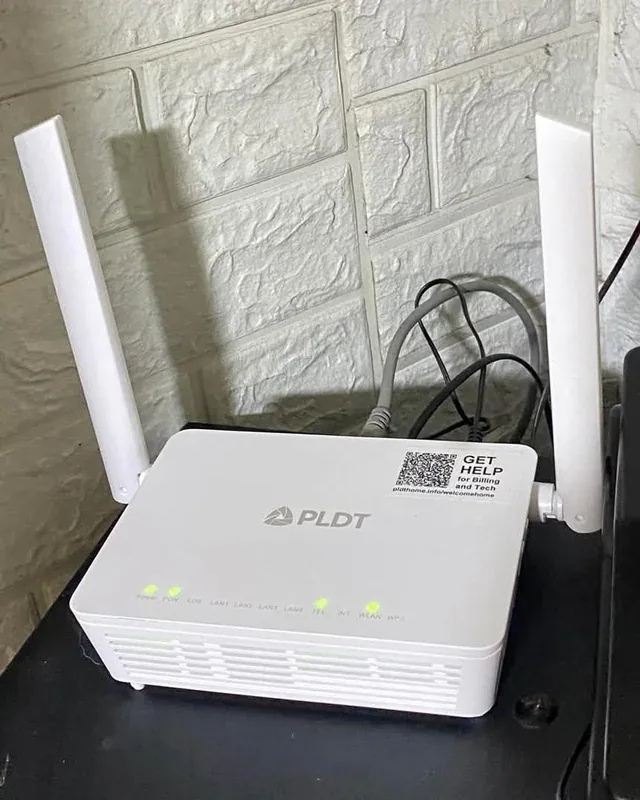
A new router is tempting when video calls keep freezing, but the router may not be the whole problem. In a concrete-walled flat, a poor location or a weak connection from the provider can undo the benefits of expensive hardware. For a Wi-Fi 6 model below ₹5,000, I would check three things first: where it will sit, how many devices compete for airtime, and whether the manufacturer still delivers security updates. The number printed on the box comes later.
What to compare before buying
| Check | Why it matters |
|---|---|
| Wi-Fi generation | Wi-Fi 6 can handle busy multi-device homes more efficiently than older generations when compatible clients are used. |
| WPA3 support | Useful modern wireless-security option; keep firmware current and use a strong admin password regardless. |
| Gigabit Ethernet | A 100 Mbps WAN/LAN port can become the bottleneck on a faster fibre plan. |
| Firmware updates | A router that stops receiving security updates becomes harder to justify even if the hardware is fast. |
| Mesh/extender support | Often more useful than buying one “powerful” router for a large or multi-floor home. |
Placement beats marketing
Put the router in an open, central position rather than inside a cabinet or at one end of the home. Test 5 GHz near the router and 2.4 GHz where range matters. In a difficult floor plan, a mesh system or wired access point can be a better upgrade than a higher advertised AX number.
Security setup after purchase
- Install current firmware before changing anything else.
- Change the router administrator password and disable remote administration unless you actually need it.
- Use WPA2/WPA3 or WPA3 where all important devices support it.
- Create a guest or IoT network for devices that do not need access to computers or storage on your main network.
- Back up the final configuration after you have tested it.
A note about this guidance
This guide compares standards, features and ownership factors rather than claiming that CSNR measured every router in a controlled radio-frequency lab. Coverage claims in retail listings should be treated as estimates because walls, interference and client hardware change the result.
Further reading and official sources
- Wi-Fi Alliance security information
- CERT-In
- Check the manufacturer support page for firmware history and exact hardware revision.
A practical next step
Try moving your current router into the open before buying anything. Test speeds beside it and in the room that causes trouble. If the drop happens only after two walls, coverage is the issue; a new router placed in the same cupboard may achieve very little. Save your receipt and write down the firmware version you installed.
Related CSNR guides
Have a correction or a source update? Contact the CSNR team.